E-PASS Toll App
- 4.6
- Rating
- 500.00K
- Installs
- Free
- Price

 Analysis by App-foxy
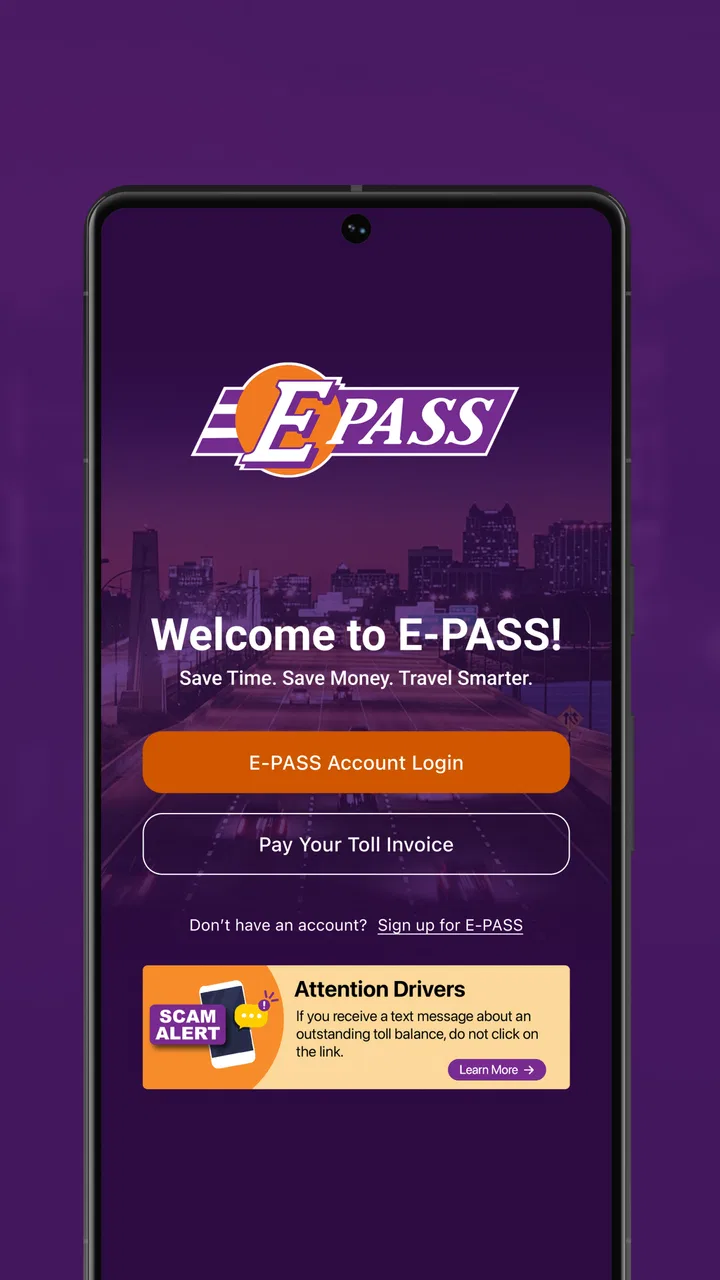
Managing toll travel is one of those chores that feels simple until it becomes urgent. A low balance, an unfamiliar charge, or a last-minute trip can turn a routine drive into a small administrative headache. I found E-PASS Toll App most useful when I treated it as a quick account-control tool rather than a complete travel companion. It gives me a focused place to check my E-PASS account, review toll activity, see the balance, and reload when needed.
That narrow purpose is also its biggest strength. The app is made by the Central Florida Expressway Authority, and its business-focused design is aimed at people who already use E-PASS. It is free, rated for Everyone, and has reached over 500 thousand installs, so it is clearly intended for regular account holders rather than occasional visitors looking for a general road-planning app. My overall impression is practical: it can remove several small tasks from a browser-based routine, but it does not replace navigation, route planning, or broader transportation tools.
What using E-PASS feels like in everyday situations
The first thing I noticed is how naturally the app fits a short, purposeful visit. I would open it with one question in mind: is the account ready for the next drive? That might mean checking the current balance before leaving, looking at recent toll activity after a busy week, or adding funds instead of waiting for a warning to become a problem. The experience makes the most sense when I already know what I need to verify.
You May Also Like

 Blood Strike: 2.5 Anniversary
Blood Strike’s Loadouts Turn Every Drop Into a Tactical Gamble
A close look at Blood Strike’s custom loadouts: how fast access to signature weapons reshapes its battle royale rhythm, rewards preparation, and narrows the gap between fights.

 Pandora - Music & Podcasts
Pandora’s Music Is Easy to Start, but Harder to Recover
Pandora’s strength is its low-effort path from a seed to a station. Its weak spot is how much confidence it asks you to place in connection, setup, and quiet recovery.

 8 Ball Pool
 Is Built on Rivalries, Rematches, and Routine
A close look at the rivalries, rematches, shared routines, and unanswered safety questions that turn a quick pool match into a persistent mobile community.

 Samsung Music
’s Quiet Strength Is Playing What You Already Own
Its reach comes less from spectacle than from dependable access to a personal library. That simplicity is both the app’s strongest retention engine and its ceiling.

 AccuWeather: Weather Radar
AccuWeather Review: A Quick, Clear Forecast for Everyday Decisions
For everyday plans, the best forecast is the one you can understand quickly. AccuWeather makes rain timing, radar, and local conditions easy to act on, with a few trade-offs.

 Hill Climb Racing
Why Hill Climb Racing Still Turns Crashes Into One More Run
A tiny car, a bumpy hill and one more upgrade: Hill Climb Racing keeps resurfacing because its simple chaos makes every near-miss feel personal.
More From Our News Desk



For example, imagine preparing for an early airport trip through Central Florida. Rather than relying on memory, I can check the account the night before, confirm that the balance looks comfortable, and reload if necessary. That small workflow is more useful than it sounds because it separates account preparation from the pressure of the actual drive. I would rather solve a payment task at home than discover a concern while trying to follow a route.
The app is not trying to be a general-purpose driving dashboard. It does not need to compete with navigation software to be useful. Its value comes from keeping toll-account actions close together. If your main need is account visibility and quick balance management, this focused approach is more convenient than repeatedly searching for the correct web page.
The store identifies it simply as E-PASS, and that straightforward identity matches the experience. I do not see a lot of unnecessary material competing with the account-related purpose. For an existing customer, that can make the app easier to understand than a broader transportation application filled with maps, traffic layers, route options, and unrelated travel information.
Speed expectations for short account checks
I judge an app like this by how quickly it lets me complete a small task, not by how many screens it contains. Checking a balance should feel like a glance, while reviewing toll activity should be possible without turning the process into a research project. E-PASS Toll App is best approached with that expectation: open it, confirm the information I need, take action if required, and leave.
Because the app works with account information, perceived speed depends on more than the phone itself. A screen can feel responsive while current details are still being retrieved, and a reload action deserves more care than a casual tap. I would not rush through a payment-related step simply to save a few seconds. The sensible trade-off is to value clear confirmation over an artificially fast interaction.
One useful habit is to open the app before a trip rather than during one. That gives the account information time to appear and leaves room to inspect the result. It also makes the app feel faster in practice because I am not trying to perform account maintenance while distracted, parked briefly, or already under travel pressure.
For occasional checks, the app should feel lighter than opening a mobile browser, finding the E-PASS account area, and signing in through a general website flow. The advantage is not necessarily dramatic speed in every session. It is the reduction of repeated steps. Once the app is part of my routine, the mental effort of remembering where to go is lower.
What happens during heavier account use
There are moments when I would use the app more intensively: after several toll trips, while checking a sequence of recent charges, or when deciding how much to reload before a longer period of driving. Those sessions ask more of the account view than a single balance glance. I want the information to remain understandable as I move from a current total to activity details and then back to an account decision.
This is where a focused toll app has a practical advantage over paper records or scattered email searches. The account view gives me a central place to investigate the reason behind a balance change. If I am trying to reconcile a recent journey, I can inspect toll activity instead of guessing from the amount alone. That is a small but important distinction: the app is not only for adding money; it also helps me understand what has already happened.
My advice is to use a deliberate sequence during a busy session. I would first check the balance, then review the relevant toll activity, and only after that decide whether a reload is appropriate. Doing those steps in reverse can lead to unnecessary funding, especially if the concern came from misunderstanding a recent transaction. The most useful workflow is verify, investigate, then reload.
There is also a trade-off in concentrating several account tasks in one place. Convenience encourages me to handle everything in a single visit, but it can make a rushed session more error-prone. If I am reviewing multiple entries, I would slow down and confirm that I am looking at the intended account information before taking a financial action. The app’s usefulness does not remove the need for ordinary payment caution.
Reliability matters more than visual polish
For this kind of app, reliability means more than opening successfully. I want the account view to be understandable, the toll activity to be presented consistently, and a reload attempt to leave me with a clear sense of what happened. A toll-management tool earns trust by reducing uncertainty, not by adding decorative features.
The public response around the app is encouraging without being a reason to stop thinking critically. It has an average rating of 4.4 from around 2.7 thousand ratings, along with hundreds of written reviews. I read that as evidence that many users find the core purpose worthwhile, not as a guarantee that every device, account situation, or network condition will feel identical.
When I use an account app, I also think about recovery. If a session is interrupted, I would reopen it and check the balance or activity again rather than assuming an unfinished action completed. That is especially important after a reload attempt. A second action should only happen after I have verified the account state, because repeating a financial step out of uncertainty is worse than spending another moment checking.
This recovery mindset is useful when connectivity is inconsistent. I would avoid making an important account change while moving between weak signals or while driving. If the app does not immediately show the information I expect, the safest response is to wait, reconnect, and check again. That is not a criticism unique to E-PASS; it is a sensible rule for any app handling live account details.
The developer’s identity also matters here. Since Central Florida Expressway Authority is responsible for the app, it feels more directly connected to the E-PASS account than an unofficial toll-tracking utility would. I prefer that kind of direct relationship for account management because it reduces the risk of relying on a third-party interpretation of toll activity.
Device limits and practical expectations
E-PASS Toll App supports Android devices running version 8.0 or later. That covers a wide range of phones, but it still gives older-device owners a clear checkpoint before installing. If a phone cannot meet that requirement, the app is not the right route on that device, and using the account through another supported method would be more practical.
On a compatible phone, I would expect the app to be relatively modest in its demands because its job is account management rather than continuous navigation, mapping, or media playback. It is not the sort of tool I would leave active for an entire drive. I would open it before traveling, complete the account task, and close it. That usage pattern should also help preserve battery compared with apps designed to track a journey continuously.
Resource expectations should still be realistic. Account information may require communication with the service, and the app cannot make a poor connection behave like a strong one. If the phone is crowded with background activity or the system is under pressure, I would avoid judging the experience from one unusually slow session. A clean retry after closing unrelated apps is a reasonable troubleshooting step before deciding that the tool is unreliable.
The version shown for the app is 2.24, which indicates that it has developed beyond an initial release. Its release date was July 17, 2019, so this is not a brand-new experiment. That history makes me more comfortable using it for a recurring account routine, while the version requirement reminds me that older hardware and older operating systems may not provide the same path.
Who will get the most from it
This is a strong fit for people who already have an E-PASS account and regularly travel on toll roads in the service area. Commuters can use it to check whether the account is prepared before a workweek. Occasional drivers can use it before a holiday trip. Households with a vehicle that is not driven every day may appreciate being able to inspect activity instead of relying on memory.
It is also useful for anyone who dislikes discovering account problems indirectly. A quick balance check before a planned drive gives me more control than waiting until a transaction or travel situation forces attention. The app does not need to become part of my daily routine; even a periodic check before longer journeys can justify keeping it installed.
Business users with repeated toll travel may find the activity view helpful for basic monitoring, especially when they need to connect account changes with recent road use. I would not treat it as a full expense-management system, but it can serve as a convenient first place to inspect toll-related information before recording anything elsewhere.
On the other hand, I would skip it if I do not use E-PASS or if I am looking for a universal toll solution covering every road operator. I would also choose a navigation app when my priority is finding the fastest route, avoiding congestion, or understanding a trip geographically. This app handles the account side of toll travel; it is not meant to guide the drive itself.
How it compares with the usual alternatives
The obvious alternative is a mobile browser. A website may be perfectly adequate for someone who checks an account only once or twice a year, especially if installing another app feels unnecessary. The advantage of E-PASS Toll App is convenience through repetition: the account task has a dedicated home, and I do not have to treat toll management like a general web search every time.
A second alternative is doing nothing until a statement, notification, or failed expectation prompts action. That approach may suit a driver who rarely uses toll roads, but it creates avoidable uncertainty before busy travel. The app is better for proactive checking because balance and activity are available as things to inspect, not merely as information encountered after the fact.
Another option is a general finance app or spreadsheet. Those tools can help with budgeting, but they are not the same as checking the E-PASS account itself. A spreadsheet records what I enter; the E-PASS app is the more direct place to examine toll activity and manage the account. I would use a budgeting tool alongside it, not instead of it, if I needed broader household tracking.
That comparison reveals the app’s proper role. It is narrower than a navigation platform and more direct than a generic finance tool. Its best quality is not versatility; it is being dedicated to one account relationship. If that relationship is relevant to me, the specialization is useful. If it is not, the specialization becomes a reason not to install it.
Small habits that make the app more useful
I would start by checking the balance before a trip with several toll segments rather than waiting until the return journey. That gives me time to handle a reload calmly and avoids mixing account maintenance with travel decisions. It is a simple habit, but it turns the app from an emergency tool into a preparation tool.
When investigating a balance change, I would look at toll activity before making assumptions. A recent trip may explain the difference, and understanding that context helps me choose a sensible reload amount. This is more reliable than adding funds based on a vague feeling that the account “looks low.”
I would also avoid using the app while the vehicle is moving. Even a quick balance check is better handled before departure or after parking. The app supports driving preparation, not safe interaction behind the wheel. Keeping that boundary makes the experience more comfortable and prevents a useful account tool from becoming a distraction.
Finally, after any important account action, I would return to the account information and confirm the resulting state when possible. That extra check is particularly valuable if the connection was unstable or the screen did not behave as expected. It is a recovery habit that protects against duplicate actions and gives me confidence before closing the app.
My performance verdict
After using E-PASS Toll App as an account-management companion, I see it as a sensible, specialized choice for E-PASS customers. Its perceived speed comes from reducing the number of steps between opening the phone and answering a toll-account question. Its resource demands should be modest for normal, short sessions because it is not built around continuous location or media use. Most importantly, its value remains clear during ordinary preparation: check the balance, inspect activity, and reload when appropriate.
The limitations are equally clear. It is not a route planner, not a universal toll wallet, and not a replacement for broader financial records. Users on older Android hardware should check the minimum operating-system requirement, while anyone dealing with a slow connection should allow time for verification instead of repeating an uncertain action. Those are manageable constraints, but they matter when deciding whether this is the right tool.
At no cost and with an Everyone content rating, it is easy for a compatible E-PASS customer to try. The combination of over 500 thousand installs and a 4.4 average suggests that it has earned a solid place for many account holders, while the written feedback count shows that people have engaged with the experience beyond a handful of ratings. I would recommend it to a friend who wants a direct way to monitor E-PASS activity and keep the account ready for travel.
My final recommendation is conditional but positive: install it if E-PASS is part of your regular driving life, and use it before trips rather than during them. For that specific job, the app is more convenient than relying entirely on a browser or waiting for account issues to demand attention. If you need maps, route decisions, or toll coverage beyond E-PASS, choose a broader travel tool instead. For focused E-PASS account control, this is a practical app that earns its place through usefulness rather than excess.
FAQs for E-PASS Toll App
01What is the E-PASS Toll App and how does it work?
The E-PASS Toll App is a convenient mobile application that allows users to manage their toll payments seamlessly. By linking your E-PASS account to the app, you can monitor toll usage, recharge your account, and receive notifications about low balances. The app ensures a hassle-free experience for drivers, eliminating the need for cash transactions at toll booths.
02Is the E-PASS Toll App available for both Android and iOS devices?
Yes, the E-PASS Toll App is available for both Android and iOS platforms. You can download it from the Google Play Store for Android devices and the Apple App Store for iOS devices. This ensures that users across different mobile operating systems can access and manage their toll accounts easily.
03How secure is the E-PASS Toll App in protecting my personal information?
The E-PASS Toll App uses advanced encryption and security protocols to protect your personal and payment information. The app requires a secure login with a username and password, and all transactions are encrypted to prevent unauthorized access. Regular updates also ensure that any security vulnerabilities are promptly addressed.
04Can I use the E-PASS Toll App to track my toll expenses over time?
Yes, the E-PASS Toll App provides detailed transaction history, allowing you to track your toll expenses over time. You can view past trips, costs, and recharges, which helps in budgeting and monitoring your travel expenses. The app's user-friendly interface makes it easy to access this information whenever needed.
05What should I do if I encounter issues with the E-PASS Toll App?
If you experience any issues with the E-PASS Toll App, you can contact their customer support for assistance. The app also includes a help section with FAQs and troubleshooting tips. Regular updates help fix bugs and improve functionality, ensuring a smooth user experience.
Pros
- User-friendly interface for easy navigation.
- Real-time toll balance updates available.
- Supports multiple payment methods.
- Allows management of multiple vehicles.
- Push notifications for low balance alerts.
Cons
- Limited to specific toll roads and areas.
- Occasional app crashes reported.
- Customer support response can be slow.
- No offline mode for transaction history.
- Account setup can be confusing for new users.

E-PASS Toll App
Gallery